Your iPhone is a racing wheel.
Turn the phone in your pocket into a responsive steering wheel, with pedals and buttons, for racing games on your Mac or PC. No extra hardware, no cables and no account.
Wheelio Receiver for Mac.
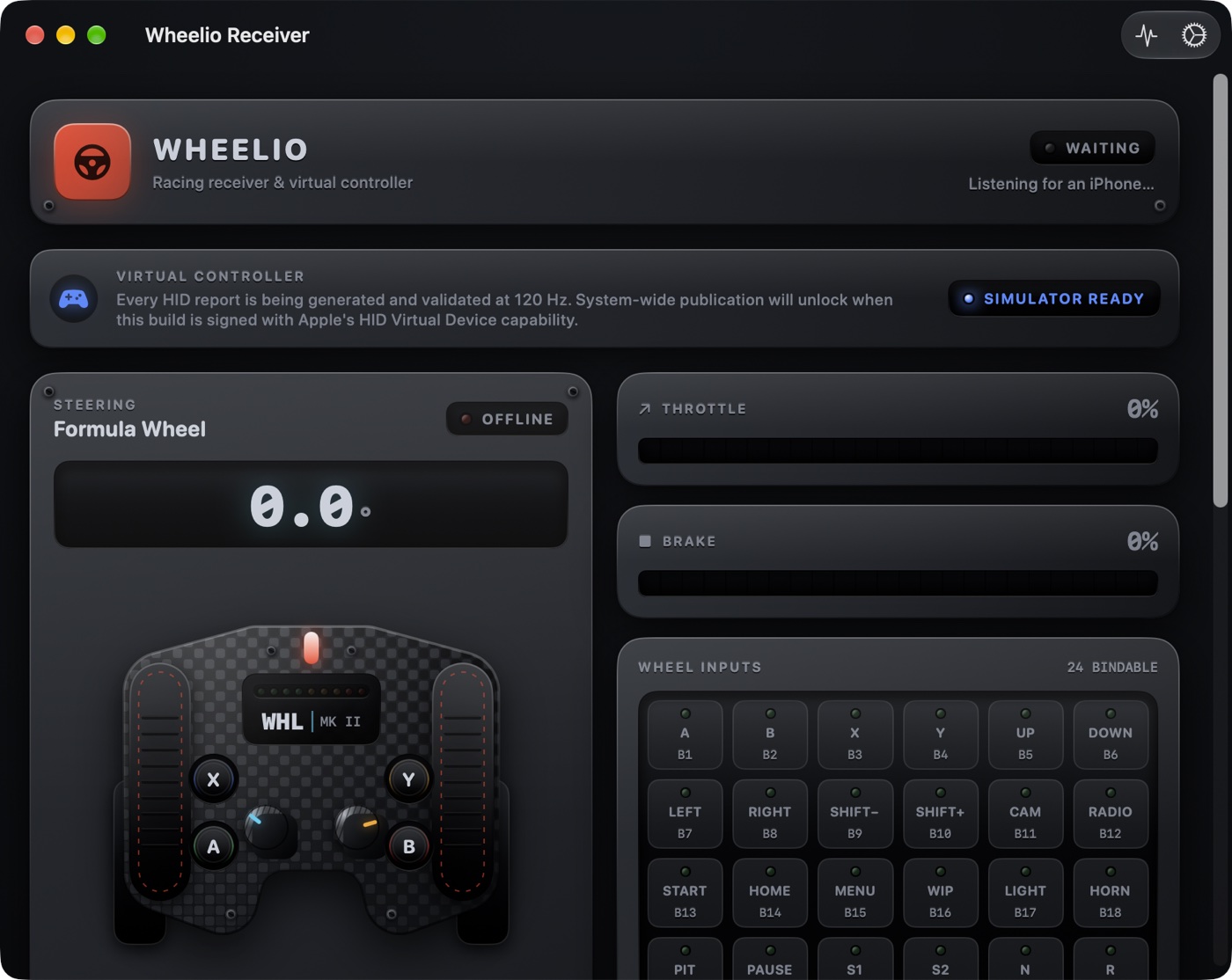
A live dashboard for your steering, pedals and every bindable wheel input. It shows exactly what your game will see, at 120 Hz.
From pocket to podium in three steps.
Open the receiver
Launch Wheelio on your Mac or Windows PC. It announces itself on your local network automatically.
Connect your iPhone
Open Wheelio on iPhone, tap Connect and choose your computer. There are no IP addresses to type and no pairing codes.
Hold it and drive
Wheelio centers itself from the way you're holding the phone. Turn to steer, slide to accelerate and brake, and tap to shift.
Feels like a wheel, not a phone.
Wheelio doesn't just read the tilt angle. It processes steering the way wheel hardware does.
Fused motion steering
Steering combines the gyroscope and accelerometer, ignoring tilt and bumps. Sudden spikes are filtered out, and the wheel auto-centers from your first steady samples.
60° to 1080° rotation
Set the lock-to-lock rotation of a real wheel, with one-tap presets for 180°, 240°, 360°, 540° and 900°. Multi-turn tracking means it never wraps around.
Tunable response
Choose Linear, Soft or Sport curves, an adjustable center deadzone and low-latency smoothing. The Quick, Balanced and Smooth presets get you started.
Analog pedals and buttons
Slide on the Gas and Brake zones for analog throttle and braking. They snap back to zero when you let go. A, B, X and Y respond instantly.
Fixed 120 Hz output
A steady 120 Hz output clock, with an adaptive 8–55 ms buffer that smooths out Wi-Fi jitter. Buttons skip the buffer entirely.
Neutral failsafe
If your phone locks, the app goes to the background or the network drops, every control returns to neutral within 250 ms. Your car never keeps accelerating on its own.
Wheel or gamepad
Your computer sees Wheelio as a native racing wheel (steering, accelerator, brake and 16 buttons) or as a universal gamepad for older games.
Classic and Studio looks
A clean flat layout, or Studio: machined aluminium, carbon weave and molded buttons that sink when you press them.
Live diagnostics
See receive rate, jitter, packet loss, duplicates, buffer depth and round-trip time, plus a live steering graph and a built-in output self-test.
Specifications
- iPhone app
- iOS 18 or later. Uses Core Motion and needs a physical iPhone.
- Mac receiver
- macOS 15 or later, Apple silicon
- Windows receiver
- Works today and is being developed alongside the Mac version. It isn't part of the 1.0 release.
- Connection
- Local Wi-Fi, either the same network or direct peer-to-peer. Found automatically with Bonjour. No internet required.
- Output
- Racing Wheel (HID Simulation Controls) or Universal Gamepad, at 120 Hz
- Permissions
- Local Network (iPhone), Motion (iPhone)
- Price
- Wheelio 1.0 is planned as a free iPhone app with a free, notarized Mac receiver
- Data collected
- None
In development
Wheelio runs today and is being tested on real iPhones and Macs. Before 1.0, we're finishing first-run polish and accessibility, and waiting on an Apple-granted capability that lets the Mac receiver appear as a system-wide controller. Add it to your wishlist below and we'll email you when it's ready.
Be the first to know.
Both apps are in development. Leave your email and we'll send one message when your pick is ready to download. No newsletter and no spam.